How TapSafe Works

A simple journey from receiving your tag to opening your vehicle passport.

Where to place your tag

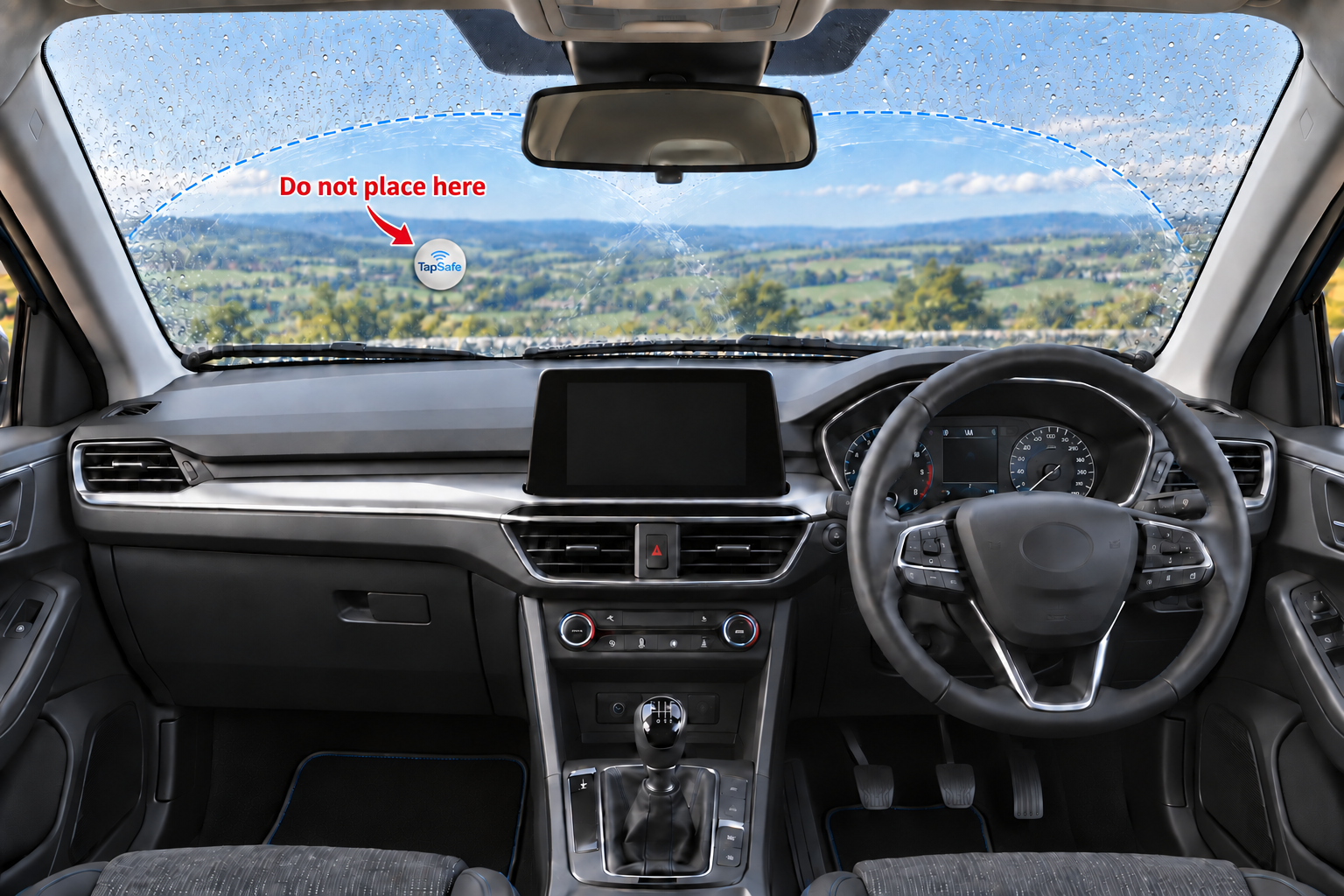
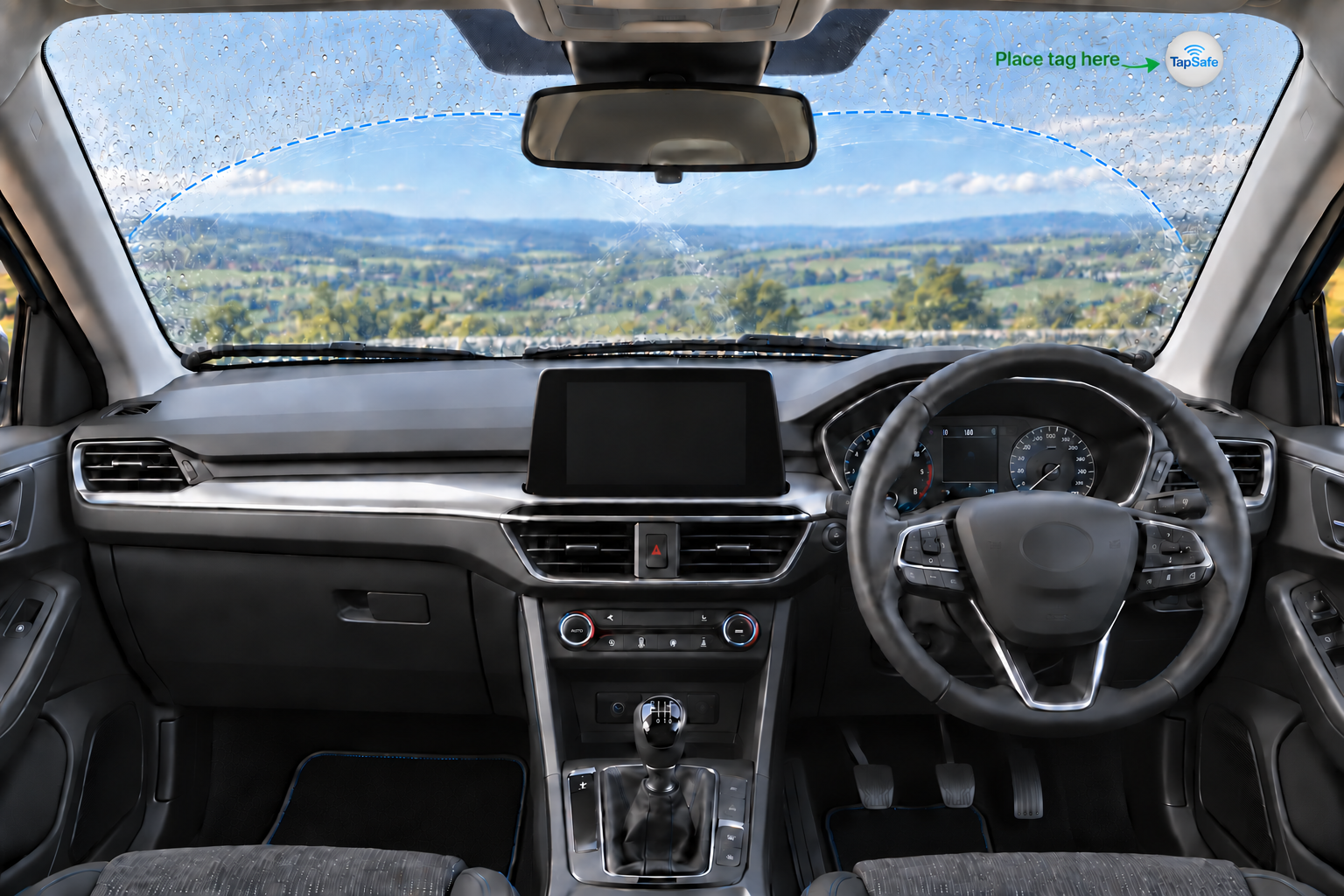
Fit one tag inside either upper windscreen corner, outside the area your wipers sweep. Never place it inside the swept area.
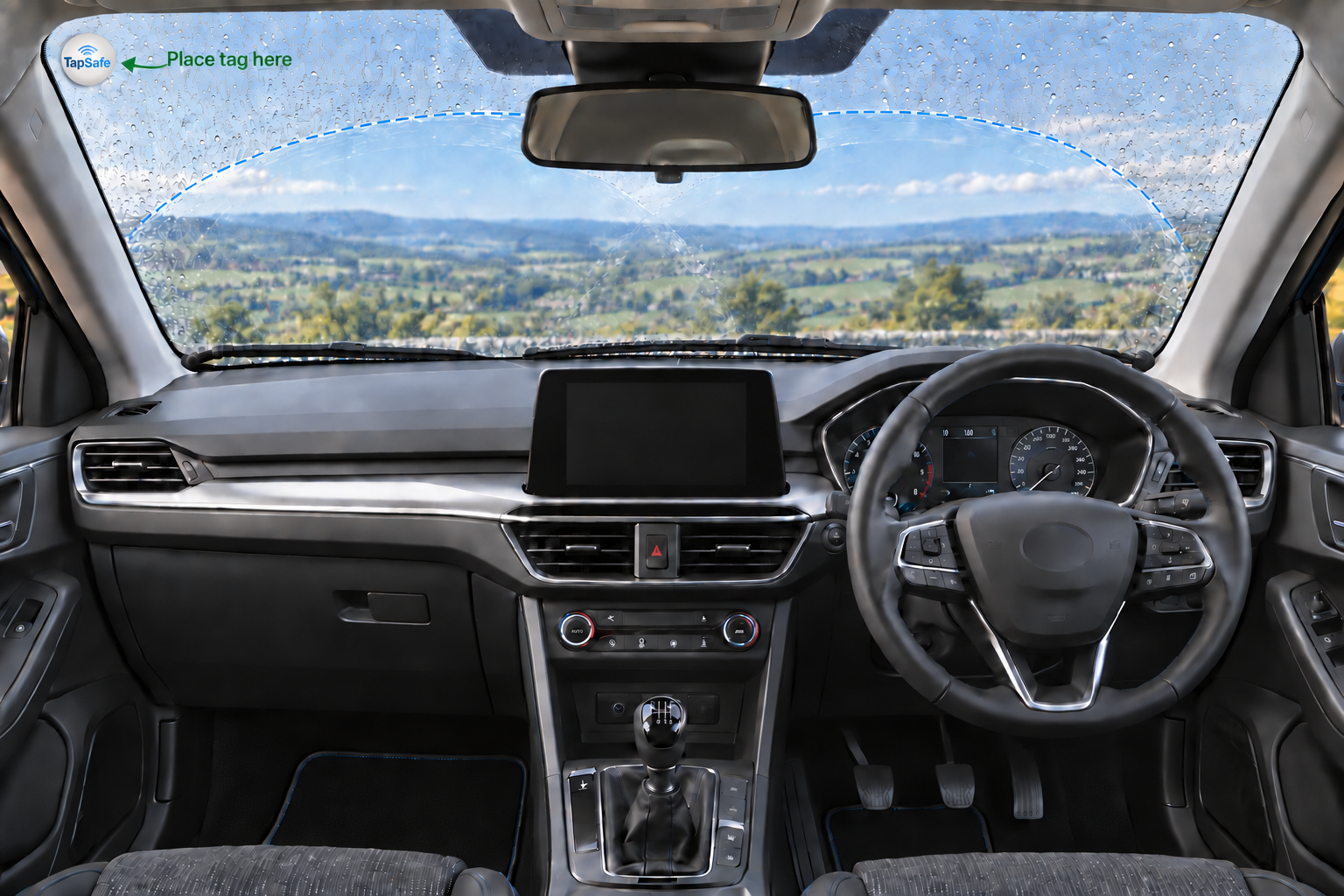
Correct TapSafe tag position in the upper-left windscreen corner outside the wiper-swept area
Correct: upper-left corner
Correct TapSafe tag position in the upper-right windscreen corner outside the wiper-swept area
Correct: upper-right corner
Incorrect TapSafe tag position inside the wiper-swept area
Incorrect: inside the swept area
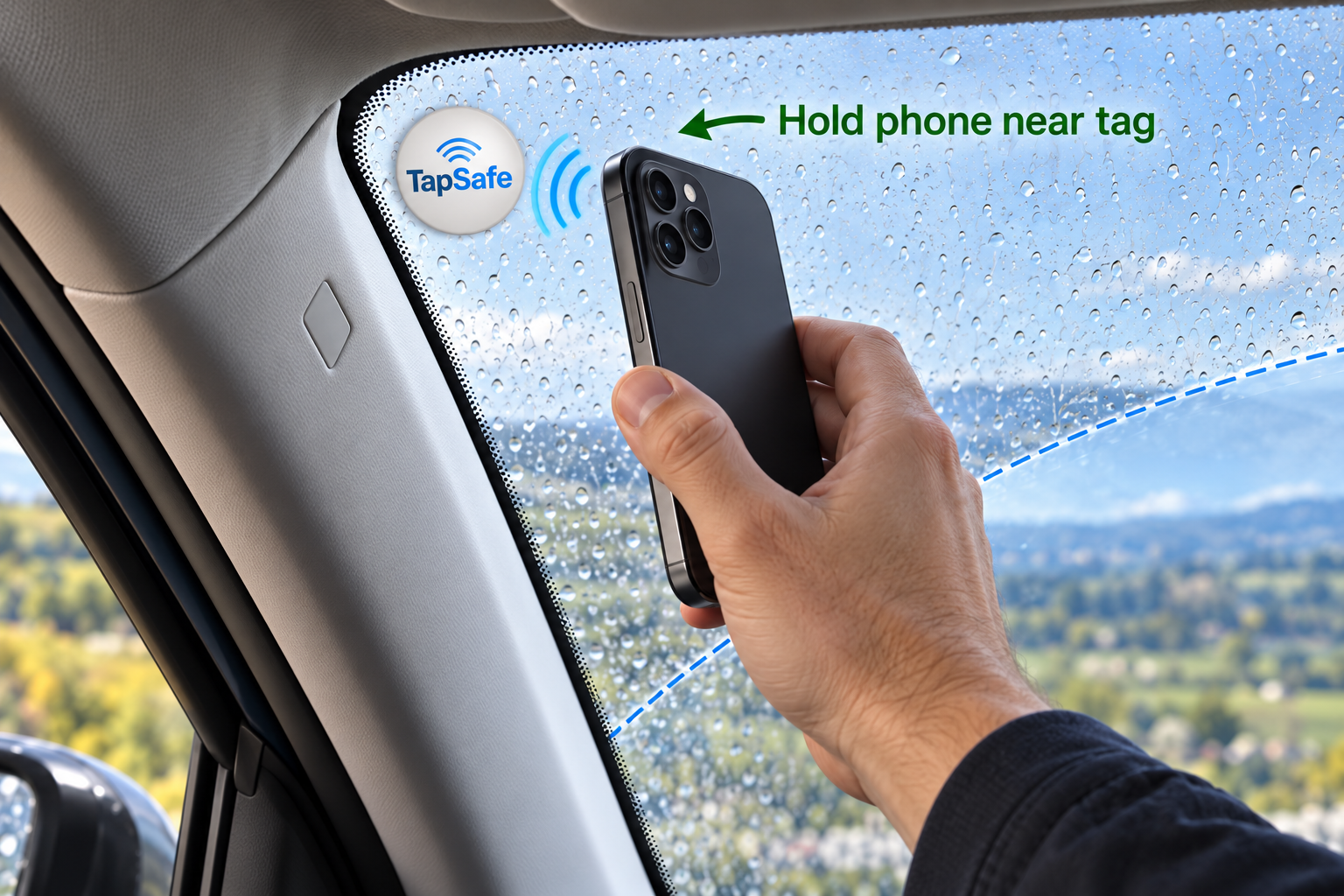
A hand holding a phone close to a correctly fitted TapSafe NFC tag
Hold a compatible phone close to the tag to scan

1. Receive your tag

Your NFC tag has a unique permanent TapSafe URL.

2. Tap your phone

A compatible phone opens TapSafe in the browser.

3. Sign in

Create an account or sign into TapSafe.

4. Add your vehicle

Create the vehicle record you want to manage.

5. Activate

Link the unique tag securely to your vehicle.

6. Future taps

The active tag opens the linked public vehicle passport.

TapSafe Customer Dashboard showing vehicle status, service history and reminders
After activation, the customer dashboard keeps the vehicle’s important information together.